
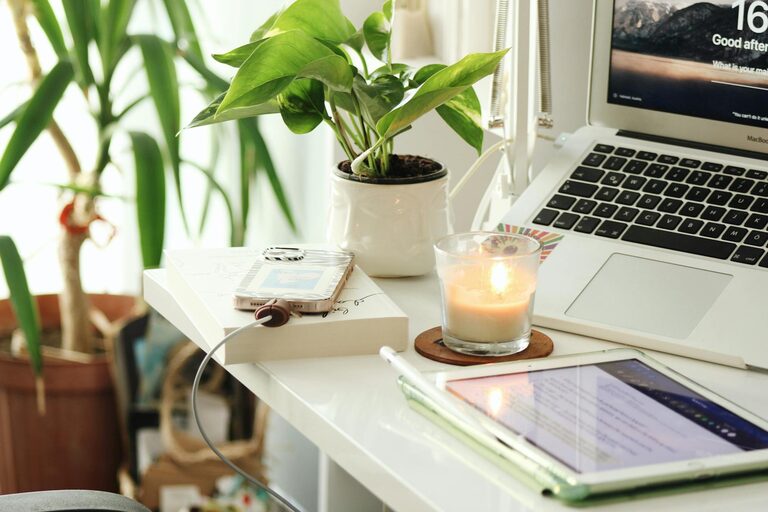
Creating a productive home office space is essential for anyone working from home or seeking a dedicated area for focused tasks. A well-designed workspace enhances concentration, reduces distractions, and promotes a healthy work-life balance. Whether you have a spare room or a small corner, you can tailor your home office to meet your needs. This guide offers practical tips to help you set up an inviting, efficient workspace that supports productivity.
Choose the Right Location
First, decide where to set up your home office. Consider these factors:
– Natural light: Position your desk near a window if possible. Natural light can improve mood and reduce eye strain.
– Quiet environment: Select a quiet spot away from household noise or foot traffic to maintain concentration.
– Space availability: Ensure there is enough room for essential furniture and movement.
– Minimal distractions: Avoid areas where you typically relax, like a bedroom or lounge, to help separate work from leisure.
Even a small unused corner can be transformed into a functional workspace with some creativity.
Invest in Ergonomic Furniture
Comfort plays a significant role in productivity. Choose ergonomic furniture that supports good posture:
– Ergonomic chair: Look for adjustable chairs with lumbar support to prevent back pain.
– Desk height: Your desk should allow your forearms to be parallel to the floor while typing.
– Monitor placement: Position your computer screen at eye level to avoid neck strain.
– Footrest: If your feet don’t rest flat on the floor, consider using a footrest for added comfort.
Spending a little extra on comfortable and supportive furniture upfront can reduce discomfort and boost your work efficiency.
Organise with Purpose
A clutter-free environment encourages focus and reduces stress. Here’s how to maintain organisation:
– Declutter regularly: Remove unnecessary items and keep only what you need daily.
– Storage solutions: Use shelves, drawers, or filing cabinets to store documents and office supplies.
– Cable management: Tidy cables with clips or sleeves to prevent tangles and distraction.
– Desk essentials: Keep your most used items within easy reach, but avoid overcrowding your desk.
Creating a dedicated space for everything can cut down on time spent looking for things and keep your mind clear.
Set Up Proper Lighting
Good lighting improves alertness and reduces eye fatigue. Aim for a mix of:
– Natural light: Maximise daylight by positioning your desk smartly.
– Task lighting: Use a desk lamp with adjustable brightness focused on your workspace.
– Ambient lighting: Avoid harsh overhead lights; soft, even illumination is best.
Make sure light sources don’t create glare on your computer screen.
Minimise Distractions
Working from home comes with its own challenges. To minimise interruptions:
– Set boundaries: Inform family or housemates of your work schedule and need for quiet.
– Use noise-cancelling headphones: These can block out background noise effectively.
– Limit digital distractions: Turn off non-essential notifications and consider apps that block distracting websites during work hours.
– Declutter workspace: A clear desk helps keep your mind focused.
Building routines and managing your environment can help create a productive atmosphere.
Personalise Your Space
Adding personal touches can increase motivation and comfort:
– Plants: Houseplants improve air quality and add a calming natural element.
– Artwork or photos: Visual interest can make your space inviting.
– Colour choice: Choose calming colours like soft blues or greens, which are proven to enhance focus.
– Comfort items: A cosy cushion or a soft throw can make long hours at your desk more pleasant.
Make sure personal items don’t become distractions but rather contribute positively to your work mood.
Prioritise Technology and Connectivity
Reliable technology is key for smooth remote work:
– Fast internet: Ensure your broadband connection is stable and fast enough for video calls and cloud work.
– Essential devices: Have a good-quality computer, headphones, and webcam for clear communication.
– Backup power: Consider a surge protector or an uninterruptible power supply (UPS) for critical equipment.
– Organised digital files: Keep your computer desktop organised, and back up important files regularly.
Optimising your tech setup helps avoid frustration and downtime.
Establish a Work Routine
Finally, a productive space works best alongside effective routines:
– Regular hours: Stick to consistent start and finish times to create structure.
– Breaks: Include short breaks to stretch and rest your eyes.
– Dedicated work zone: Use your office only for work to help mentally separate professional time from personal time.
– Daily planning: Start the day by listing priorities to stay on track.
Combining a functional space with thoughtful habits supports long-term productivity.
—
Setting up a productive home office is more than just blending furniture and gadgets; it’s about crafting an environment where you can work comfortably, stay focused, and feel organised. With these tips, you’re well on your way to creating a home office that helps you do your best work every day.